OVERVIEW
Background
Vector 2 is the sequel to the popular endless running game released in 2016. In this game, the protagonist must escape a research facility after being captured by security forces during the final stage of the story mode at Technology Park. The game begins with the protagonist waking up in a secret research facility; the paths within seem designed to test his skills with the aim of turning him into a member of the security force. The game features two main zones, with the environment changing after each level.
New features in Vector 2
- Instead of completing isolated missions, players undertake a series of closely interconnected tasks.
- Support for 8 additional languages.
- Players do not need to use virtual points to equip the character with extra items at supply stations.
- Basic tricks from the original game remain, supplemented by a few new moves.
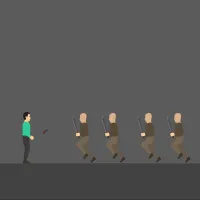
- "Big Brother" no longer pursues the protagonist; instead, "Swarm Bots" take on that role.
DETAILED GAMEPLAY
Vector 2 is a high-speed action game set in a modern, futuristic environment. Players control the character as they navigate obstacles, collect valuable items, and set new records. The protagonist runs forward automatically; players simply need to control the character to jump or slide to avoid colliding with obstacles. The goal is to help the character escape the mysterious research center and survive for as long as possible. Leverage high-tech gear to extend your survival time.
In-game currencies
Points are used to purchase equipment between levels. You earn a certain number of points at the end of each level, especially when performing special tricks. If your character perishes during a run but still has unused points, these will be converted into Tokens.
Data Chips are useful in various situations, such as running with Protocols while waiting for power-ups to recharge, crafting items in the shop, or performing revivals and upgrades in the Archive.
Coupons can be obtained from Booster Packs, found by chance when upgrading equipment, or collected directly during a run. They can serve as a substitute for Data Chips in certain instances.
Controls
- Mouse swipe - jump or slide.
- W / A / S / D or arrow keys – movement and actions.
SIMILAR GAMES